

EN
Tennis
How to efficiently organize and manage a tennis academy
Discover how to streamline your tennis academy operations: manage registrations, group assignments, skill levels, court scheduling, payments, and player progress tracking with ease.

Running a tennis academy requires far more than simply adding a few time slots to a schedule.
Every new season, your club must streamline registrations, build balanced groups, assign players by age and skill level, coordinate coach and court availability, track remaining spots, and reconcile payments.
On top of that come group transfers, late sign-ups, special family requests, and ongoing adjustments throughout the entire season.
With just a few dozen students, spreadsheets and email threads might do the job. But as your academy scales, this manual setup quickly becomes time-consuming and error-prone.
So, how can you manage a tennis academy efficiently while minimizing your club’s administrative burden?
Here are the essential steps to structure and streamline your academy operations.
What Are the Key Challenges in Tennis Academy Management?
Managing a tennis academy means balancing multiple operational constraints simultaneously.
On the player side, you must account for:
age;
skill level;
availability;
training frequency;
athletic goals;
and often scheduling conflicts across multiple family members.
On the club side, you need to manage at the same time:
court availability;
coach schedules;
maximum player capacities per group;
pricing tiers;
memberships and club dues;
payment processing;
roster occupancy rates.
Effective operations must therefore deliver an outstanding member experience while maximizing club resource utilization.
The more groups you run, the harder it becomes to sustain this balance using disconnected spreadsheets.
1. Plan the Season Before Opening Registrations
The first rule of thumb: avoid launching registrations too early.
Before opening courses to your members, academy directors must establish:
season dates;
player categories;
skill levels;
group structures;
training days;
time slots;
session durations;
capacity limits;
pricing;
and any booking prerequisites.
Thorough preparation prevents endless schedule changes once registration goes live.
Differentiate Registration Windows from Course Dates
It is also critical to distinguish between two distinct timelines.
The Registration Window
This is the timeframe when members can browse course offerings and book their spots.
The Course Term
These are the actual dates during which coaching sessions take place.
An academy running from September to June can easily open registrations several weeks or months in advance.
This clear distinction streamlines seasonal preparation and provides members with transparent, professional timelines.
2. Build Cohesive, Balanced Groups
The reputation of your tennis academy relies heavily on how well groups are structured.
Grouping players simply because they are free at the same time is not enough.
Multiple criteria must align.
Age Group
Mini-tennis, juniors, teens, adults: coaching methodologies and session formats differ significantly across age brackets.
Skill Level
Two players of the exact same age can have vastly different playing levels.
It is vital to segment classes accordingly:
Beginner;
Intermediate;
Advanced;
Competitive / Performance.
Player Intent
Some players are looking for recreational, social play.
Others aim for fast-track progression or tournament competition.
Availability
Finally, you must match the right operational puzzle pieces:
Players + Coach + Court + Time Slot.
This combination is often what turns group scheduling into a logistical nightmare once your academy scales to hundreds of members.
3. Implement Automated Eligibility Criteria
A proven way to streamline operations is to set strict, rule-based criteria for each group.
Consider this example:
Junior Intermediate Tennis
Age: 10 to 13 years old
Level: Intermediate
Time Slot: Wednesday, 2:00 PM – 3:30 PM
Capacity: 8 players
Prerequisite: Active club membership
Ideally, any member who does not meet these criteria should be automatically restricted from booking this session.
This prevents club managers from wasting hours manually auditing submissions after registration.
These rules can be fully automated using dedicated tennis academy management software, filtering bookings by age, rating, membership status, or package subscriptions.
4. Set Group Capacity Limits
Sessions should neither be underfilled nor overcrowded.
An undersubscribed group compromises operational margins.
Conversely, overpacking a court diminishes the quality of coaching and harms member retention.
Every class must have a defined capacity cap.
Group | Time Slot | Capacity | Enrolled |
|---|---|---|---|
Mini-Tennis | Wednesday 10:00 AM | 6 | 5 |
Junior Beginners | Wednesday 2:00 PM | 8 | 8 |
Junior Intermediates | Wednesday 4:00 PM | 8 | 6 |
Adult Beginners | Thursday 7:00 PM | 6 | 4 |
A real-time overview like this allows you to immediately spot:
sold-out sessions;
available spots;
underfilled time slots;
capacity adjustments that need to be made.
Once a class hits capacity, the booking portal should automatically close enrollment for that group.
5. Digitize the Registration Process
Registration day is traditionally one of the most stressful operational periods of the year.
In a manual environment, the workflow often looks like this:
paper form → verification → back-and-forth emails → group allocation → data entry → payment follow-up → confirmation.
Every single registration triggers multiple administrative tasks.
With a modern digital booking workflow, the member journey transforms into:
login → view eligible classes → select group → online checkout → instant confirmation.
Players enjoy a self-service experience, and all records instantly sync with your club management system.
For academy directors, this drastically cuts down:
manual data entry;
inbound emails;
phone calls;
scheduling errors;
overbooked sessions.
6. Roll Out Phased Registration Windows
Opening all classes to everyone at once is rarely the best strategy.
Instead, clubs can structure enrollment in phases.
Preview Period
Members explore upcoming schedules, formats, and pricing before bookings go live.
Priority Re-enrollment
Current students and returning club members get early-access booking windows.
General Public Launch
Remaining spots open up to new prospective members.
Registration Cutoff
Enrollment automatically locks on a set date to finalize group rosters.
This structured approach delivers operational control and eliminates the chaotic rush of uncoordinated sign-ups.
7. Simplify Multi-Child Family Management
Family management is a core reality for any racquet sports club.
A parent often needs to register multiple children at once:
Emma, age 8
and
Lucas, age 12
each with different skill levels, age groups, and schedules.
Requiring parents to set up multiple accounts and repeat the booking journey introduces needless friction.
With dedicated family account management, parents can easily select each child under a unified profile and view only the courses tailored to their age and rating.
All sign-ups are bundled into a single, seamless checkout.
This is a massive win for clubs catering to junior academies.
8. Seamlessly Connect Registration with Online Payments
Separating course registration from payment processing creates instant administrative friction.
Club staff are left manually reconciling:
who paid;
how much;
for which specific class;
and which accounts are past due.
With hundreds of players enrolled, payment chasing consumes hours of productive time.
The solution is an end-to-end connected workflow:
Player → Group → Registration → Payment Processing.
Members select their session and settle their fees within the same flow.
Integrated online payment solutions for tennis clubs eliminate manual bank reconciliation and automate revenue tracking.
9. Plan for Mid-Season Group Transfers
Even with flawless preparation, mid-season roster adjustments are inevitable.
A coach might identify after two sessions that a player is ready for an advanced group.
Or a family’s schedule might shift, requiring a transfer to another day.
In a spreadsheet-based system, transferring a player requires multiple manual steps:
remove the player from the original roster;
update the initial spreadsheet;
verify capacity in the target group;
manually add them to the new roster;
notify the coaching staff;
verify payment adjustments.
With software that supports one-click group transfers, these roster updates happen in seconds.
Eliminating these repetitive micro-tasks saves dozens of hours over the course of a season.
10. Track and Optimize Academy Occupancy Rates
True management goes beyond taking sign-ups—it’s about data-driven club optimization.
Academy managers need instant answers to high-impact questions:
How many total players are enrolled?
Which sessions are at 100% capacity?
Which classes still have open spots?
Which time slots are underperforming?
Which programs generate the highest demand?
Actionable insights enable smarter business decisions.
Promote Underfilled Groups
Target low-occupancy adult beginner clinics directly to eligible club members.
Optimize Schedule Allocations
Reallocate consistently underperforming time slots to court rentals or high-demand offerings next season.
Scale High-Demand Programs
If a category constantly sells out, open additional groups to unlock incremental revenue.
Analytics transform your setup from reactive tracking into a strategic tool for growing your tennis academy.
11. Empower Your Coaching Staff
Coaches need real-time, reliable roster information.
On the court, they need immediate access to:
up-to-date group rosters;
total confirmed attendance;
recent player additions or transfers.
Rosters used on court must sync directly with the central registration database.
A unified data source prevents duplicate, outdated spreadsheets from floating around the club.
12. Unify Academy Operations with All-in-One Club Management
A tennis academy does not operate in a vacuum—it is central to your club’s ecosystem.
An academy student frequently interacts with the club in other ways:
booking casual court time;
renewing annual memberships;
entering tournaments;
purchasing gear from the pro shop;
joining holiday training camps;
engaging with club announcements.
Using separate tools creates fragmented software sprawl:
academy management + court booking + payments + member database + POS + marketing.
This results in siloed member profiles and operational blind spots.
Adopting comprehensive tennis club management software connects your academy directly with daily club operations on a single platform.
13. Deliver a Seamless Mobile Experience for Members
The modern member experience must be mobile-first.
Today, members expect to manage their bookings directly from their smartphones.
Course access, schedules, and renewals must be instant and user-friendly.
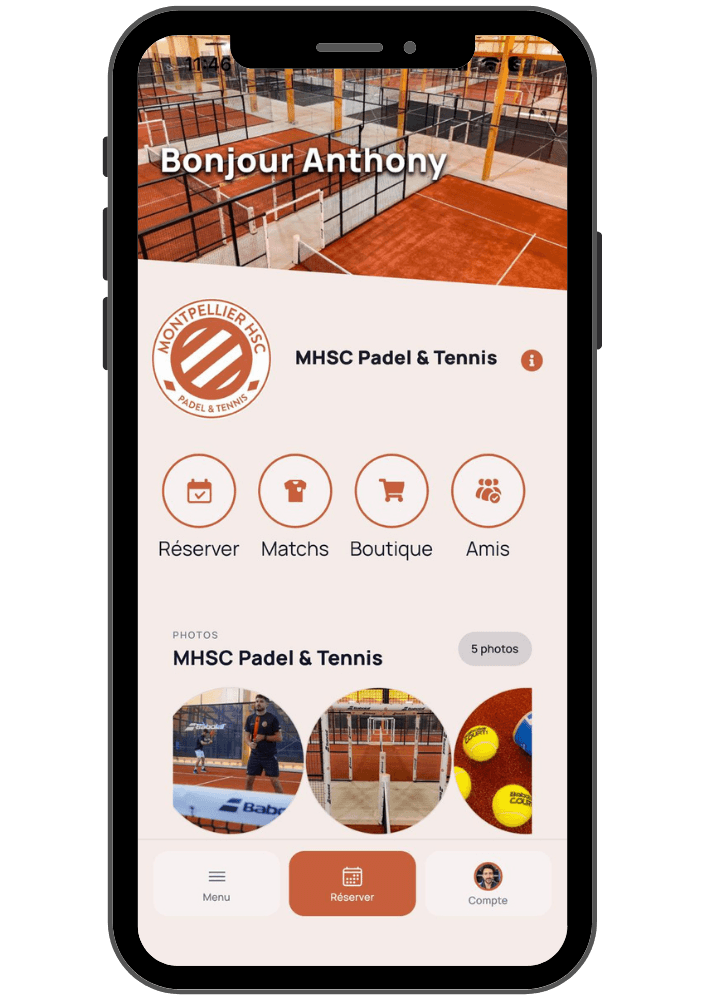
A branded mobile app for tennis clubs centralizes the entire member journey in one place:
coaching programs;
court bookings;
in-app payments;
memberships and passes;
club news and notifications.
Players no longer juggle multiple websites or apps.
For the club, it strengthens brand loyalty and keeps communication direct and engaging.
14. Sync Coaching Sessions with Your Master Schedule
Running academy sessions requires reserving physical inventory.
A court assigned to an academy clinic cannot be double-booked by members for casual play.
Class schedules must automatically sync with your master club availability.
A unified calendar ensures automated management across:
court assets;
open rental slots;
coaching clinics;
tournaments and club events;
general member reservations.
An integrated court booking platform for tennis clubs eliminates double bookings and guarantees flawless schedule coordination.
Is Excel Enough to Manage a Tennis Academy?
For a small, boutique program: yes.
A spreadsheet can suffice when managing a couple of groups and a handful of students.
However, challenges compound rapidly as your club grows:
more classes;
hundreds of players;
multiple coaches;
diverse skill levels;
complex billing structures;
frequent schedule updates;
multi-child family accounts.
The hidden cost of Excel isn’t software licensing—it’s administrative burnout.
It is the massive amount of administrative time required to keep disconnected files up to date.
Whenever a single update must be replicated across multiple sheets, human error is inevitable.
When Should You Digitize Your Academy Management?
There is no arbitrary player count that dictates when to upgrade to software.
However, clear warning signs indicate when your current system is hitting its limit.
Registrations Demand Multiple Staff Members
A significant portion of your team’s week is lost to data entry and manual auditing.
You Rely on Multiple Spreadsheets for the Same Members
Your member data is fragmented, causing sync issues and duplicate entries.
Payment Reconciliation is a Daily Chore
Registrations and payments are handled via separate, unlinked channels.
Roster Adjustments are Cumbersome
A simple class change triggers a tedious multi-step manual process.
You Experience Capacity Issues and Overbookings
Your disconnected lists fail to accurately track real-time spots.
You Lack Real-Time Visibility into Occupancy
You have to manually cross-reference spreadsheets to know how many spots are left.
If any of these sound familiar, switching to an integrated management platform is your next strategic move.
What Features Should You Look For in Academy Software?
When evaluating sports club management platforms, ensure they match your operational workflows.
Registration Windows
Can you set automated open and close dates for enrollment?
Group & Class Builder
Can you customize schedules, session lengths, and group capacities?
Eligibility Rules
Can you restrict access dynamically based on player age and skill level?
Capacity Management
Does the system automatically stop registrations when classes reach capacity?
Membership Validation
Can you restrict specific classes exclusively to active club members or package holders?
Family Accounts
Can parents manage multiple children seamlessly from a single profile?
Integrated Payments
Are bookings automatically reconciled with online payment processing?
One-Click Transfers
Can you move a player from one group to another effortlessly?
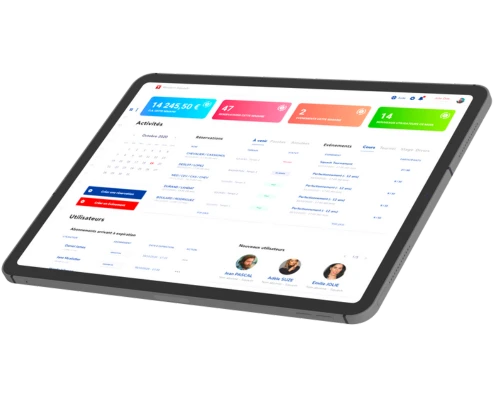
Occupancy Dashboards
Do you have a clear, high-level overview of academy fill rates?
Data Exporting
Can coaches instantly export up-to-date attendance and roster lists?
As your academy grows, these capabilities become essential operational drivers.
Best Practices to Optimize Academy Operations
Technology is only as effective as the processes it supports.
Peak operational efficiency relies on clear, consistent club policies.
Proven club management strategies include:
Standardize skill ratings club-wide;
Minimize ad-hoc exceptions;
Enforce strict player-to-coach ratios and group caps;
Communicate registration timelines well ahead of launch;
Maintain a single source of truth for all club data;
Actively track and promote low-occupancy slots;
Analyze waitlists and missed bookings.
Tracking unmet demand offers invaluable business intelligence.
If twenty players join the waitlist for a sold-out Wednesday 5:00 PM session, you’ve identified a clear opportunity to expand programming next season.
Can You Apply This Framework to a Padel Academy?
Absolutely.
The operational architecture is identical.
A high-performing padel academy requires managing:
structured groups;
skill levels and level assessments;
junior and adult programming;
court capacities;
recurring weekly time slots;
online enrollment;
automated payments.
For multi-sport facilities offering both tennis and padel, running both operations within an all-in-one platform provides immense operational synergy.
FAQ - Tennis Academy Management
How do you efficiently organize a tennis academy?
Start by defining age groups, skill levels, time slots, court capacities, and pricing. Establish clear registration deadlines and automate eligibility to match every player to the right group seamlessly.
How do you build balanced tennis groups?
Structure groups primarily around age, skill rating, athletic objectives, and the availability of players, coaches, and courts.
How should you handle tennis academy registrations?
While manual methods exist, a modern online booking portal directly connects player profiles, course selections, capacity limits, and online payments in real time.
How do you scale a large tennis academy?
As member numbers grow, centralizing group management, prerequisites, online enrollment, automated billing, and live rosters within a single software platform becomes indispensable.
How do you prevent overbooked tennis classes?
Set fixed capacity limits per group and use automated software that closes enrollment the moment a class fills up.
How do you streamline registrations for families?
Use family account features that enable parents to enroll multiple children in their respective age/skill groups and pay in a single transaction.
How do you manage mid-season group transfers?
Adopt a platform that supports one-click member transfers between classes without requiring manual deletion, refunding, and re-entry.
How do you track academy occupancy?
Monitor an automated dashboard that tracks enrolled students versus total capacity across all sessions in real time.
Is Excel suitable for running a tennis academy?
It works for small programs, but rapidly hits limits as growing player rosters, multiple coaches, payments, and schedule changes force staff to manage chaotic parallel spreadsheets.
Can you manage tennis and padel academies together?
Yes. For multi-sport facilities, running both sports on a single management platform unifies your member database and dramatically simplifies administrative operations.
Key Takeaways
Exceptional tennis academy management relies on four pillars:
balanced, cohesive groups
clear eligibility criteria
a frictionless member booking experience
a single, centralized data platform
As your academy expands, automation eliminates repetitive manual tasks: taking sign-ups, tracking capacity, chasing payments, updating rosters, and managing class transfers.
This allows coaching directors and club managers to focus on what matters most: delivering world-class instruction and driving club growth.
Ready to see how DoinSport can optimize your club’s academy management?
Similar articles
Nov 18, 2026
Permits, financing, construction, software, pre-sales: a month-by-month reverse schedule for a padel club project, with the lead times to plan for.

Oct 28, 2026
Unlimited off-peak, discount memberships, packs and wallets: the membership plans padel clubs offer in 2026, their prices and how to set yours.

Oct 22, 2026
How much should you charge per hour for padel? 2026 market rates, peak vs. off-peak pricing, and memberships: the complete guide to setting your club's rates.

See Doinsport in action
Ready to grow your padel or tennis club?
Join over 1,000 clubs that run on Doinsport. Book a free demo and see what it can do for your club.
We're here to help.



See Doinsport in action
Ready to grow your padel or tennis club?
Join over 1,000 clubs that run on Doinsport. Book a free demo and see what it can do for your club.
See Doinsport in action
Ready to grow your padel or tennis club?
Join over 1,000 clubs that run on Doinsport. Book a free demo and see what it can do for your club.
We're here to help.